cocoaNEC 3 Introduction
Kok Chen, W7AY (SK)
Bill Myers, K1GQ [k1gq (at) hey (dot) com]
Last edited: March 6, 2025
Preamble
The cocoaNEC 3 app is based on the superb cocoaNEC 2.0 app created by Kok Chen, W7AY (SK). This documentation is similarly based on the excellent work by Chen, with edits where needed for changes. The spreadsheet input method and printing support have been removed and there are many small user interface updates.
Introduction
cocoaNEC is a macOS application intended primarily for the design and modeling of antennas. cocoaNEC uses the macOS AppKit framework, once named Cocoa — hence the name.
Both the app and the Xcode project and sources are free and available in the Downloads tab above.
cocoaNEC can use either of two method of moments compute engines, named nec2c and NEC 4.2. See the NEC tab for information about the engines and how to select which to use.
Antenna Models
cocoaNEC provides a C-like programming language named NC for describing an antenna model. You can also import from and export to "card decks." In addition, you can directly import output from nec2c and NEC 4.2 to display in cocoaNEC's graphical back end.
The Tutorial tab button at the top of this page takes you to an introduction for NC. The Manual tab leads to a detailed description for all of cocoaNEC other than the programming language, with is separately documented in the NC Reference tab.
System Requirements
CocoaNEC 3 requires a Silicon mac with macOS 15 (Sequoia) or newer. CocoaNEC 3 is self-contained and notarized.
What cocoaNEC does
cocoaNEC turns an antenna description into a "card deck" that is passed on to the NEC engine. A card deck contains text images of the Hollerith cards which the NEC engine uses as input.
After an engine finishes processing the input card deck, cocoaNEC distills the line-printer output from the NEC program and presents the data in forms that are easier to visualize.
The following shows a few "cards" from a typical NEC-2 input card "deck":

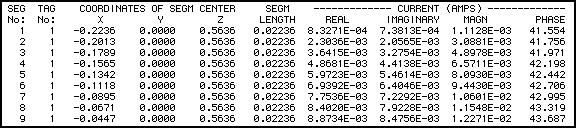
and the following shows a few lines from a typical NEC-2 output file:
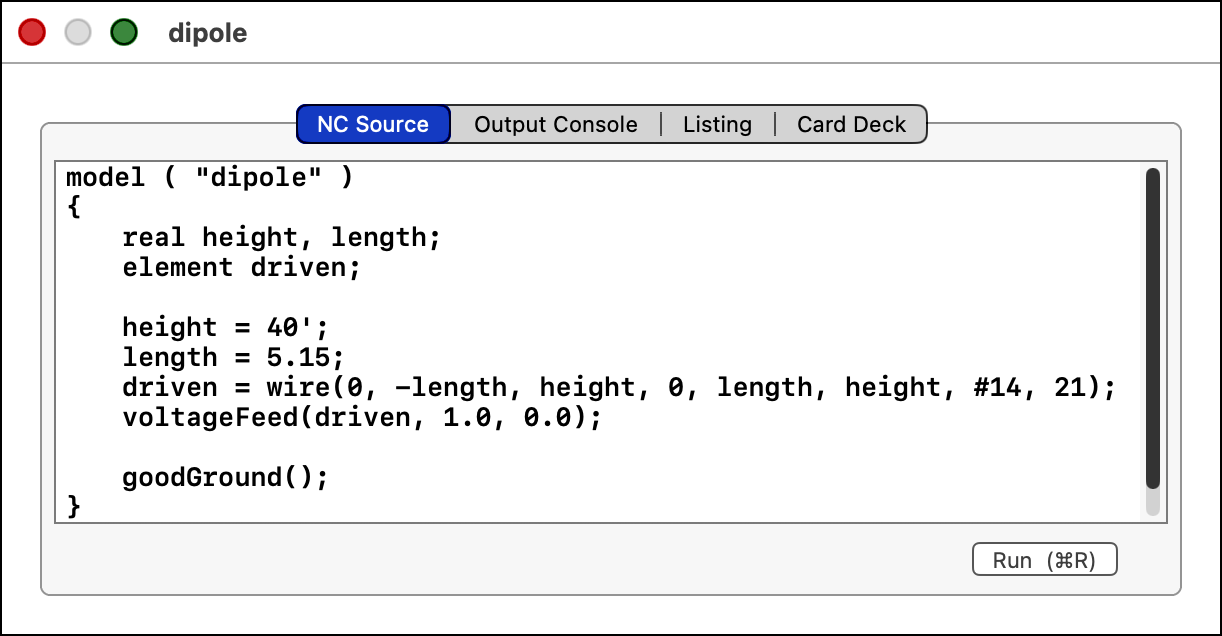
The NC program for a simple dipole antenna model looks like this:
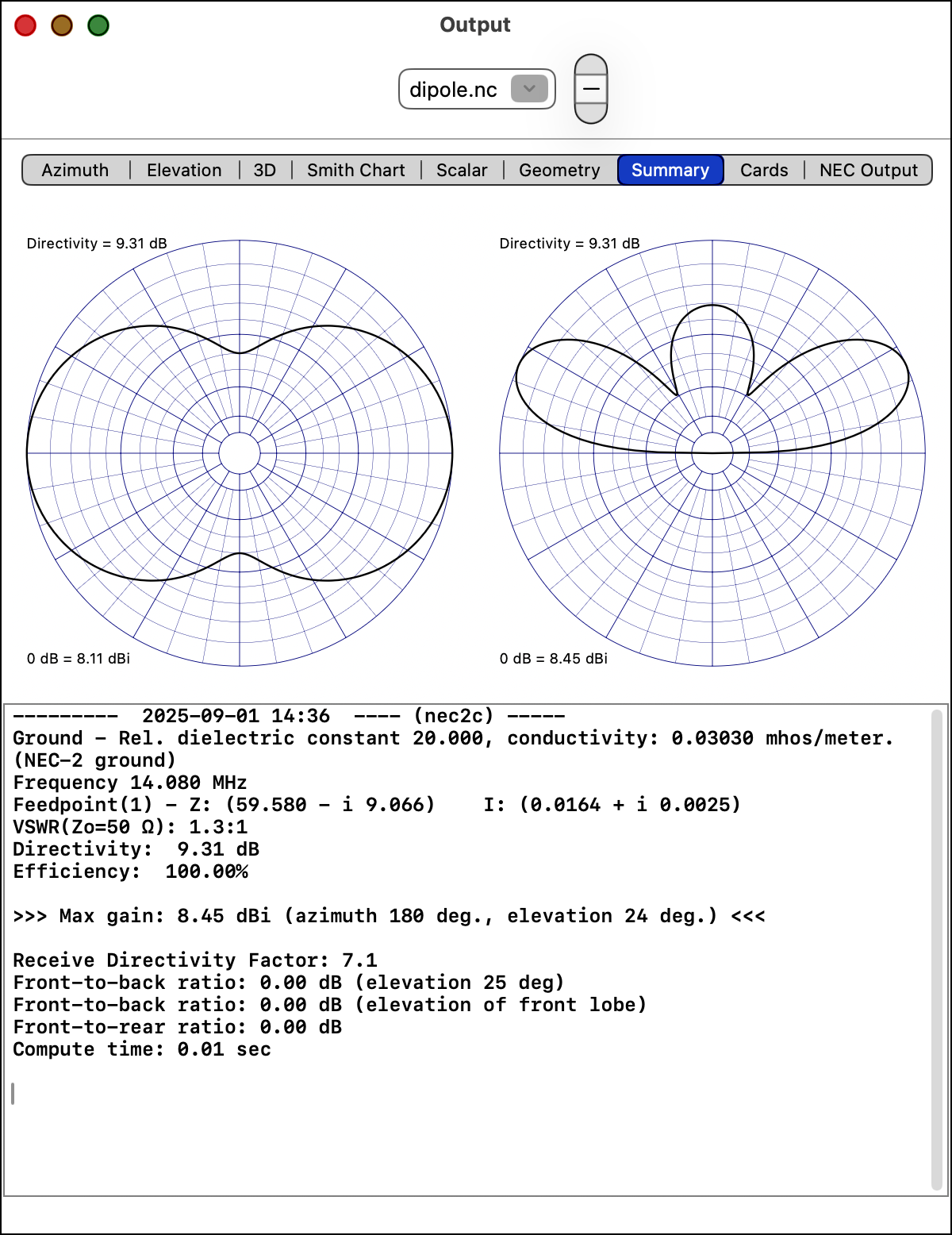
and the output looks like this:
cocoaNEC 3 should be located in your Applications folder, although it will run properly from any folder. If you try to start CocoaNEC when it is already running, the app will tell you about the situation and exit. When you have more than one copy of the app on your system, macOS may get confused about which one to run; compress the apps you don't want to use to hide them from macOS.
After you first run cocoaNEC, a file named com.K1GQ.cocoaNEC3.plist will appear in your home directory's Library/Preferences folder. This file contains lists of the NC antenna models that were most recently used by cocoaNEC (this allows the Open Recent... menu items to find the files). The plist file also contains values set in cocoaNEC Settings.
When you run an antenna model, temporary files are created for communicating information between cocoaNEC and a NEC engine. The temporary files used for input to the engine are named necinputNN.dat and the output files from the engine are written to files that are named necoutputNN.txt. The NN are sequence numbers starting at 1 for each time that you launch cocoaNEC. Tech note: If you want to look at these files, use the macOS Terminal app and visit to the /tmp directory.
When you run a model that uses the Sommerfeld Ground option, files with names beginning with SOM are created in the folder containing the model file. These files are reused when you rerun the model. If you delete them, they will be recreated when necessary.
You can download some example NC files that might be helpful. (Use the Downloads tab buttons above.)
cocoaNEC 3 Development History, By K1GQ
Chen moved on to other projects in 2018. By then, I had been building the Xcode project provided by Chen for myself, mostly to ensure that it would run on the latest macOS and mac hardware. After several years of tinkering, I admitted to myself that I had permanently branched away from ("forked in programmer-speak") Chen's work and so could modify things to suit myself. I removed support for the spreadsheet input interface (NC is so much better) and for printing (screen grabs pasted into Pages works very well), modified handling of Settings, and continued to tackle modeling of large ham antenna systems.
cocoaNEC 1 and 2 Development History, by W7AY (SK)
Not finding a native antenna design program for MacOS X, I had started the original cocoaNEC (1.0) project back in 2002 as a Cocoa GUI around the NEC-2 program. The FORTRAN code for NEC-2 was originally translated automatically into C with the f2c program. The old cocoaNEC had used an interpreter (an earlier version of NC) as the sole means of describing antenna geometry.
cocoaNEC 2.0 is a major rewrite of the original application. In addition to extending the NC interpreter, I have added a spreadsheet-like interface for entering antenna models. Even though it supports variables and mathematical functions, the spreadsheet interface is still much less powerful than the NC interface, and the use of the spreadsheet interface in cocoaNEC is discouraged. However, the spreadsheet interface may be easier than the NC interface for a non-technical user to learn. cocoaNEC 2.0 was started in August 2007.
Instead of the original NEC-2 engine, this newer cocoaNEC 2.0 uses a new compute engine that has since been made available, called nec2c. nec2c was manually translated from FORTRAN into C by Neoklis Kyriazis, 5B4AZ, and the code runs substantially faster than the machine translation of NEC-2 by f2c. cocoaNEC 2.0 uses the nec2c.rxq variant of nec2c.
cocoaNEC 2.0 can also use the NEC-4 engine.
Acknowledgments, by W7AY (SK)
cocoaNEC 2.0 uses the public domain nec2c.rxq code as its embedded compute engine.
nec2c.rxq is the work of Jeroen Vreeken, PE1RXQ, and it is based on the earlier nec2c program by Neoklis Kyriazis, 5B4AZ.
nec2c was translated from the original NEC-2 program that was developed by Jerry Burke and A. J. Poggio of the Lawrence Livermore Labs.
NEC-2, nec2c and nec2c.rxq are all free for anyone to use. cocoaNEC would not have been possible without the generous contributions of the above people.
My grateful thanks to the alpha testers who I have discussed the program with, and who have fed back bug reports and documentation errors: Doug K4DSP, Duffey KK6MC/5, Steve WB6RSE and especially Russ AA7QU, without whom this manual would have been much more difficult to read. Bill, K1GQ prodded me to add important features, and also helped with tracking down a re-entrancy problem in the Sommerfeld ground model of nec2c. Bill further collaborated with me to get NEC-4 working on cocoaNEC.