Using NEC 4.2 with cocoaNEC
Primary differences between NEC Engines
cocoaNEC comes with an embedded NEC-2
engine. NEC-2 is sufficiently accurate for many antenna
modeling purposes, but does not work for buried wires or
models with wires that are close to ground. The embedded
NEC-2 engine is significantly faster than NEC-4.
NEC-2 Reference is an online document describing the LLNL implementation of NEC-2.
NEC 4.2 has important additional capabilities, including:
- Models buried wires and wires close to ground correctly.
- Models electrically small antennas with better accuracy.
- Adds Sommerfeld ground models.
- Handles stepped-radius wires.
- Handles junctions of tightly-coupled wires.
Selecting a NEC Engine
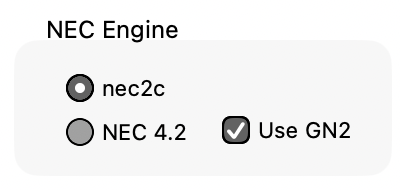
To select NEC 4.2 as the compute engine, choose CocoaNEC 3 > Settingss… and choose NEC 4.2 instead of nec2c:
Once selected, the NEC Engine
setting will be saved to your cocoaNEC plist file when you exit cocoaNEC. The next time you launch
cocoaNEC, you will be using the same engine that you had
previously selected.
As with the case of the built-in NEC-2 engine (nec2c),
cocoaNEC first generates a card deck file from an NC
program.
When NEC 4.2 is selected as the compute
engine, cocoaNEC runs the engine as a macOS task.
cocoaNEC sends the engine the names of the card deck file and
the name of the file that the engine writes its output to.
cocoaNEC waits for the task to finish execution, it then
parses the engine output into the
graphical views in the cocoaNEC Output window.
One difference that you will notice when using NEC 4.2 is
that the macOS Activity Monitor will show an extra
process which runs for the duration that NEC engine is
running (e.g., while the circular progress indicator that
is next to the NC window's Run button is active).
You can dynamically select between using the nec2c engine
and the NEC 4.2 engine. The same model that is run under nec2c
and under NEC 4.2 will appear as separate contexts in the
Output window. This allows you to compare the outputs from
the two engines.
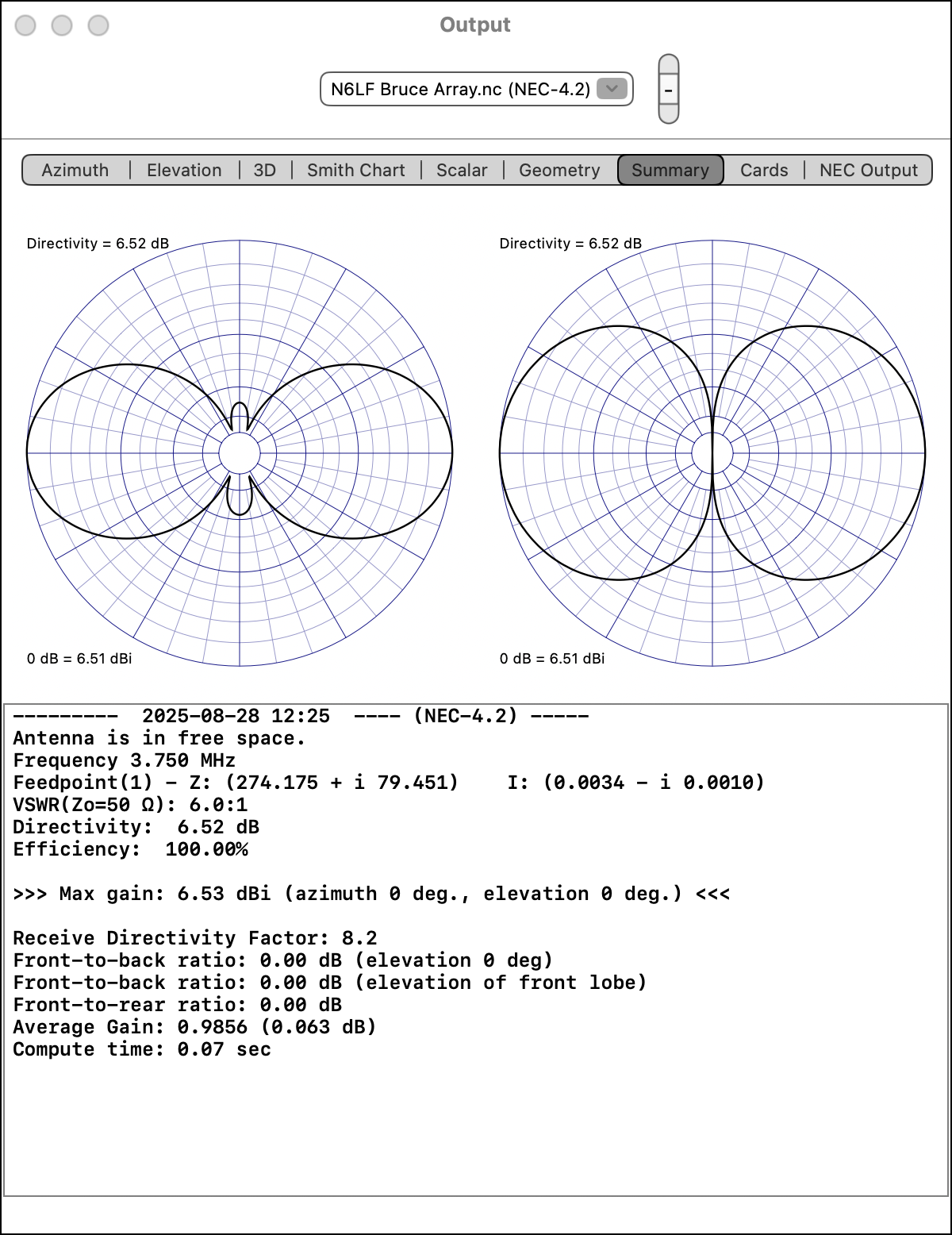
The output of the model that is produced using the NEC 4.2
engine appears as a context whose name has the engine name appended to it, and the engine name also appear in the Summary view, as below: